 Beta
Beta
Features
What MediCrab can do
One desktop workspace for the paper you are about to submit: check it, find and verify literature, prepare the data, and draw the figures.
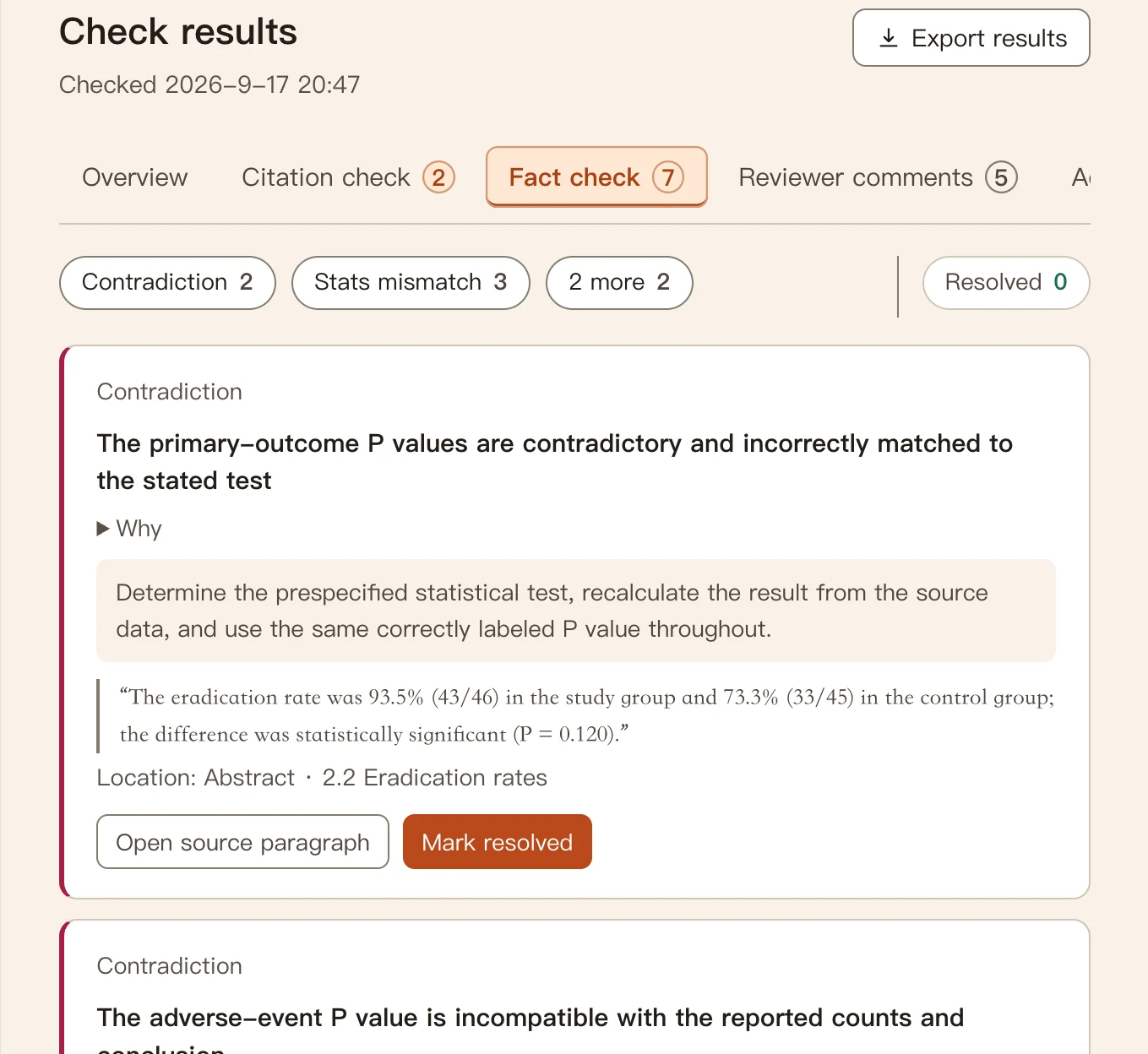
Full-manuscript check
Import the draft and run one check. Results are split into Overview, Citations, Fact check, Reviewer comments, and Other findings.
- Numbers that disagreeAbstract vs results, tables vs text, counts that do not add up.
- Statistics recomputedχ², P values, and proportions written in the manuscript are recalculated by a program.
- Citation checkDoes each PMID or DOI point to the right paper, and do authors, title, and year match? Chinese DOIs are looked up with their registration agency.
- Reviewer-style commentsContradictions and claims stronger than the evidence, kept apart from hard errors.
- Second opinionAsk another model to judge independently; MediCrab lists only where the two disagree.
“Not found”, “not covered”, and “request failed” are reported separately, so a missing record is never treated as a fake citation.
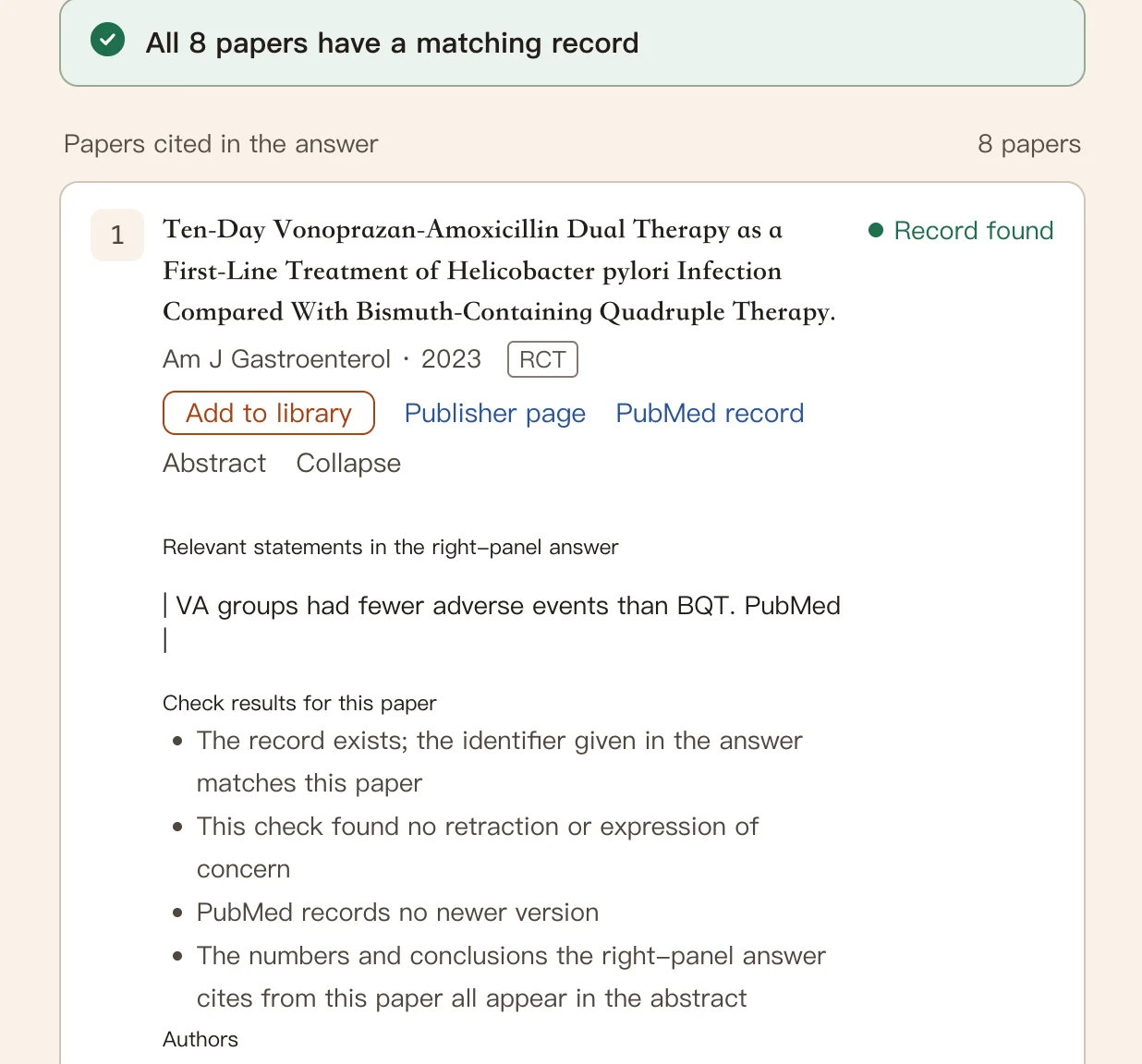
Ask a question. The sources are checked automatically.
Ask about a research direction, a clinical question, or the evidence for one sentence. Answers come with sources; MediCrab checks each cited paper and flags what it cannot confirm, so you know where to look.
- Source checksDoes the paper exist, has it been retracted or updated, and can the answer’s numbers be found in its abstract?
- Literature tableFollows your reference list: Has full text, Missing full text, Title not recognized, Needs attention.
- Library that stays tidySave a record, drag in the PDF, and MediCrab confirms it is the same paper.
MediCrab checks the papers themselves, not every sentence of the answer.
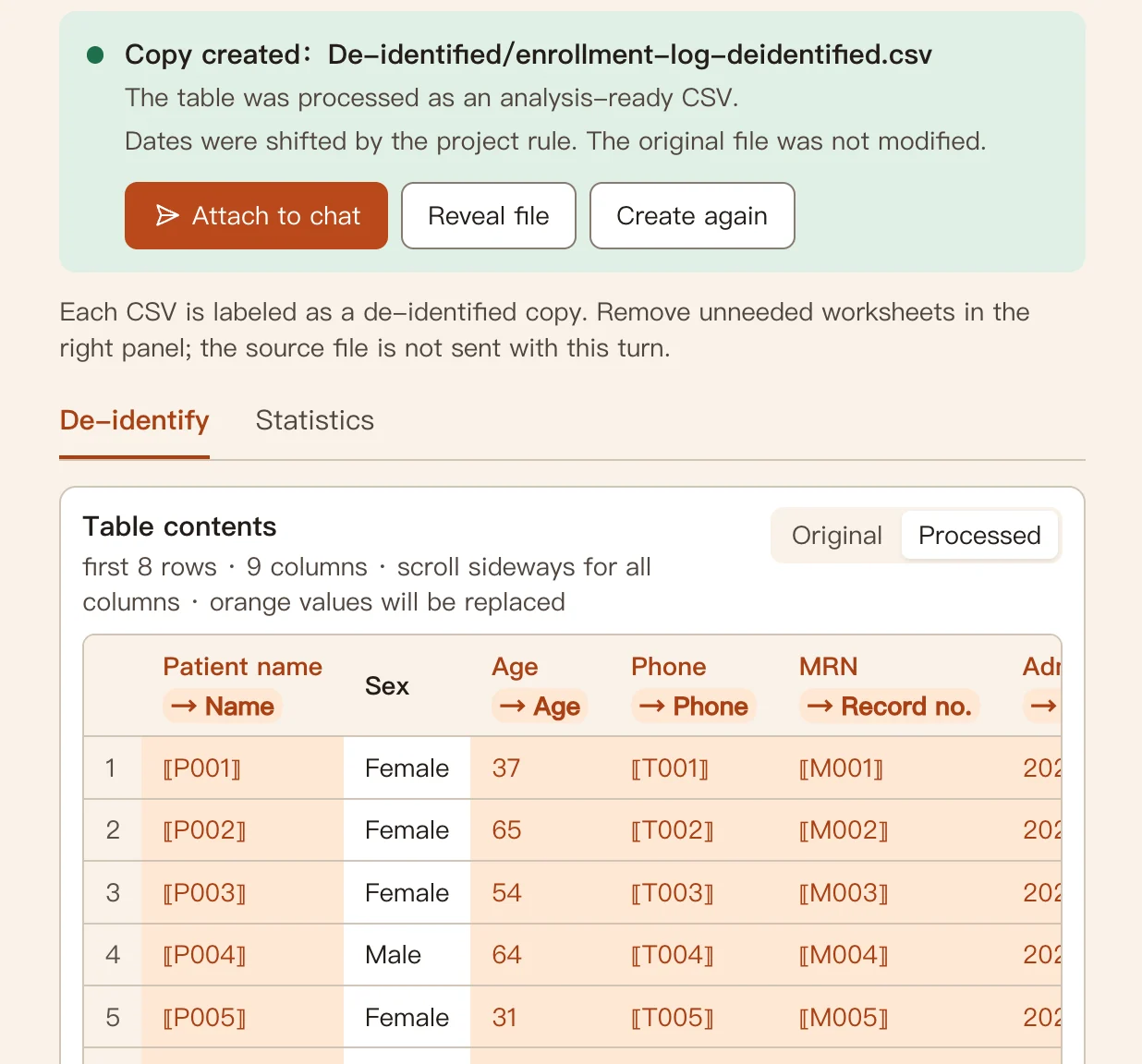
De-identify data, build table 1 locally
Open an Excel or CSV sheet. MediCrab explains which columns identify people and saves a copy with those values replaced by codes before you discuss it with AI. Identifiers inside free text are not always caught, so look it over first.
- De-identified copyNames, phone, ID and record numbers become stable codes; dates shift together; the key never leaves your computer.
- Baseline tablen (%), mean ± SD, or median (IQR), grouped the way your paper needs.
- Two-group and paired comparisonsχ², Yates, Fisher, Welch and paired t, Mann–Whitney U, Wilcoxon — computed by a local program, checked against R and SciPy reference values.
- Ask in plain wordsSay “compare response rates between the two groups” in chat; you confirm the plan, the computer does the math.
Three or more groups, regression, and survival analysis are not included; keep using R, SPSS, or Python for those.
Figures for your paper
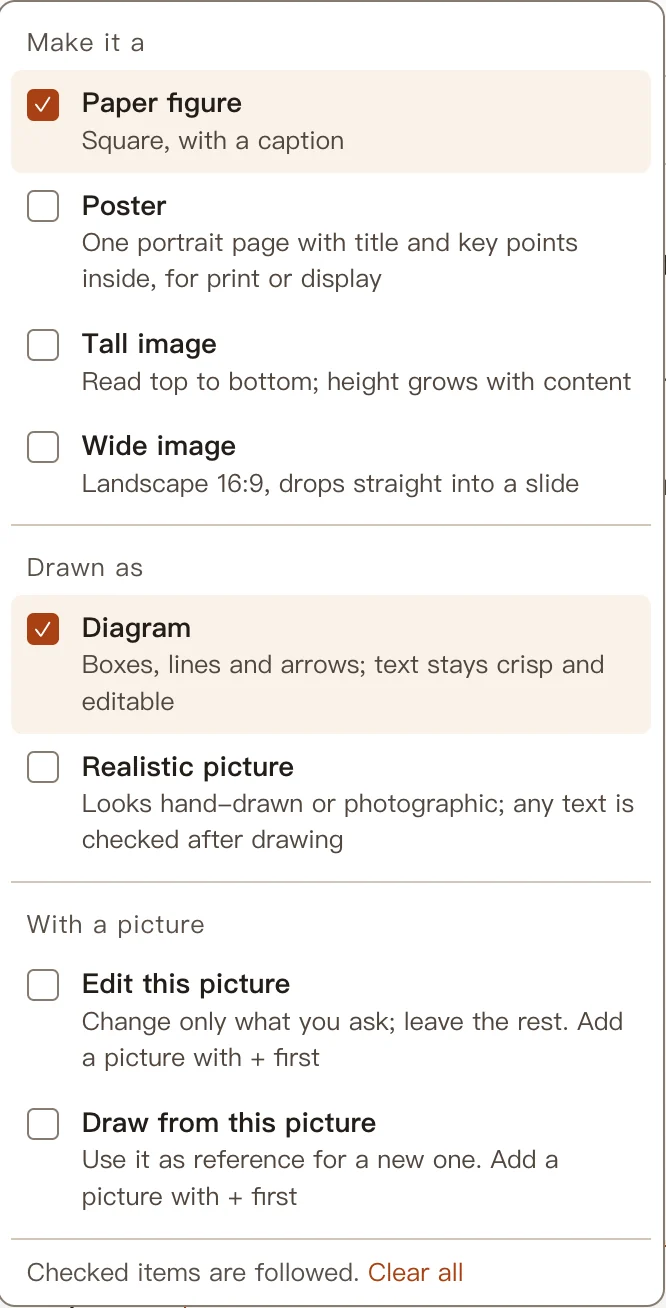
Describe the figure you need in a sentence. Pick a purpose if it helps, or leave it to MediCrab.
- Paper figure, poster, tall or wide imageSized for the place it will go.
- Diagram or realistic pictureDiagrams keep text crisp and editable.
- Work from a pictureEdit only the part you name, or draw a new one from a reference.
- Export SVG or PNGDrop it straight into the manuscript or slides.
Your files, your decisions
MediCrab works on the folder you already have.
- Originals stay read-onlyEdits become proposals on a working manuscript; nothing changes until you confirm.
- Local firstFiles stay on your computer. Only model calls and literature lookups go online.
- Outbound logSee what was sent to which model or service, and how many values were replaced with codes.
- Your choice of modelsFree hosted models, your own API key, or your Codex / Claude subscription.
- Windows and MacWindows 10/11, and Macs with Apple or Intel chips.
Windows · macOS · 0.21.0 Beta